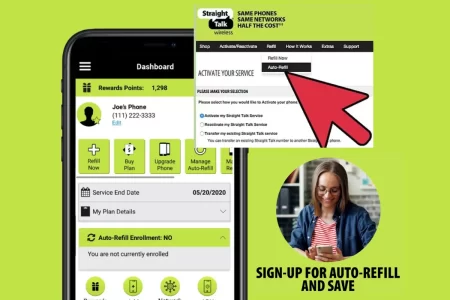
Auto-refill is a convenient service for ensuring that Straight Talk users always have airtime and data on their phones. However, there may come a time when you want to cancel auto-refill, perhaps because you’re switching providers, running low on funds, or simply want more control over your spending.
In this article, we will go through the three working methods to cancel auto-refill on Straight Talk.
Method 1: Cancel Auto-Refill via the Straight Talk Web Portal
- Go to the Straight Talk webpage and log in to your account.
- Click “Auto-Refill” in the “My Account” section.
- Click “Deactivate Auto-Refill.”
- Follow the prompts to confirm that you want to cancel auto-refill.
Method 2: Cancel Auto-Refill via Customer Service
- Call Straight Talk customer service at 1-877-430-2355.
- Choose the option for “Cancel Auto-Refill” from the automated menu.
- Provide your account information when prompted.
Method 3: Stop Auto-Refill on Straight Talk App
- After login into My Account Straight Talk App.
- Select the “Auto-Refill” option on the “My Account” page.
- Click on “Deactivate Auto-Refill” to stop the service.
- Confirm that you want to stop the auto-refill feature.
Important Things to Remember
- Canceling auto-refill does not cancel the Straight Talk service altogether.
- Regular airtime purchases can be used to use Straight Talk services once auto-refill is canceled.
- It’s better to use any remaining balance on your account before canceling auto-refill.
- Pausing auto-refill temporarily can be considered if you’re unsure about canceling it permanently.
- Reactivation of auto-refill will not require a registration process.
Are there any fees or charges for canceling auto-refill on Straight Talk?
No, there are no fees or charges for canceling auto-refill on Straight Talk.
How can I temporarily pause auto-refill on Straight Talk?
To pause auto-refill on Straight Talk, you can call customer service at 1-877-430-2355, and inquire about options for temporarily suspending or reactivating your service after a period. To make it work, you need to provide them with a reason for the cancellation.
Can I turn off auto-refill on Straight Talk for only data or only airtime?
No, you cannot turn off auto-refill for only data or only airtime on Straight Talk. You can turn off auto-refill for your entire account. You can pause or stop auto-refill for the current cycle but will resume it for the next cycle.
What happens if I turn off auto-refill mid-cycle on Straight Talk?
If you turn off auto-refill mid-cycle on Straight Talk, you can still use the remaining balance on your account for regular airtime purchases. However, you will not receive a refund for any unused auto-refill funds.
What alternative methods are available if I want to avoid auto-refill on Straight Talk?
To prevent auto-refill on Straight Talk, you have the option to manually include data and airtime to your account instead of relying on auto-refill. Although this approach requires manual effort, it’s important to remember to add the plan manually before it expires to ensure uninterrupted service.
Conclusion
Canceling Straight Talk’s auto-refill is relatively straightforward and can be done through their homepage or customer service. The cancellation of auto-refill only removes the automatic payment feature from the account and does not cancel the Straight Talk service altogether. With these steps outlined, Straight Talk users should be able to take control of their payments and use their phones on their terms.

